The Evolution of the Lockout: From Brass to Binary
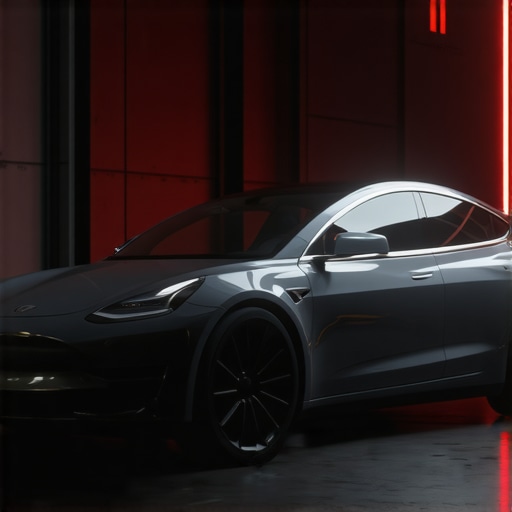
I teach my apprentices that if you have to force the key, you’ve already lost. That was the rule in 1998 when we were dealing with double-sided wafers in a Chevy ignition, and it remains the rule in 2026 as we troubleshoot the Bluetooth Low Energy (BLE) handshakes of a Tesla Model 3. After 25 years at the bench, I’ve seen the industry pivot from the tactile click of a shear line to the invisible verification of a rolling code. A Tesla lockout isn’t a mechanical failure; it’s a physics problem masked by software. When your Model 3 refuses to recognize your phone or key card, you aren’t fighting a physical latch—you’re fighting a sensor that’s lost its place in the world. Most ‘trunk slammers’ will tell you to break a window or try to shim the glass. Don’t listen to them. As a master locksmith, I see the car as an ecosystem of actuators and signals. If the signal is dead, the mechanical components stay frozen in their housing.
“Security is always a trade-off between convenience and protection.” – Industry Axiom
The Forensic Autopsy of a 2026 Tesla Software Glitch
Why does a Model 3 suddenly decide you’re a stranger? In 2026, the integration of automotive transponder keys 2026 updates has shifted toward Ultra-Wideband (UWB) and BLE 5.3. The ‘glitch’ is rarely a total system crash; it’s usually a failure in the proximity handshake. Inside the B-pillar, there is an NFC (Near Field Communication) controller. When you tap your key card, you are inducing a small current that powers a chip to send a 128-bit encrypted token. If the potting material inside that pillar has degraded due to thermal expansion—common in high-humidity regions—the induction loop fails. This is the ‘physics’ of the lock. It’s no different than a worn-out spring in a residential lock cylinder replacement scenario; the tolerances are just measured in nanoseconds rather than thousandths of an inch. We also see issues with the 16V lithium-ion low-voltage battery. If that battery’s State of Health (SOH) drops below a specific threshold, the car puts the BLE receivers into a ‘deep sleep’ to preserve enough juice to maintain the main contactors. You aren’t locked out because of a bug; you’re locked out because the car is in survival mode.
Fix 1: The NFC Induction Reset and Hard Reboot
If the phone-as-key fails, the first forensic step is to eliminate signal interference. In 2026, the 2.4GHz spectrum is crowded with smart locks with geofencing features and electronic gate lock systems from nearby homes. This creates a noise floor that can drown out your Tesla’s handshake. To fix this, perform what I call a ‘Clean Induction.’ Wipe the B-pillar sensor area with a microfiber cloth. Any metallic film or salt residue from road spray can attenuate the NFC signal. If the key card still won’t trigger the solenoid, you need to force a proximity reset. This involves cycling the Bluetooth on your device while standing at least 30 feet away from the vehicle to break the existing ‘stale’ connection. In the locksmith world, we call this clearing the wafers. Once the cache is cleared, approach the B-pillar again. If you hear the faint ‘thunk’ of the actuator, the software has re-authenticated the token.
“A lock is only as good as its weakest component, whether that’s a brass pin or a line of code.” – Security Manual
Fix 2: Managing the Digital Token and App Cache
Often, a Tesla lockout is caused by a mismatched rolling code. Think of it like a master key system in commercial panic exit devices 2026. If the ‘master’ (the Tesla server) and the ‘slave’ (your phone) get out of sync, the door won’t open. This happens frequently after an Over-The-Air (OTA) update. To resolve this, you must bypass the local cache. Long-press the Tesla app icon, go to storage settings, and clear the cache. This forces the app to pull a fresh security certificate from the cloud. If you are in a dead zone with no cellular service, you are reliant on the local Bluetooth token. This is why I tell my customers to always carry a physical key card as a fail-safe. It’s the same logic we use for integrated home security lock bundles; you never rely solely on the cloud. A physical backup is the only way to ensure 100% reliability when the software decides to take a nap.
Fix 3: The Low-Voltage Jump and Actuator Bypass
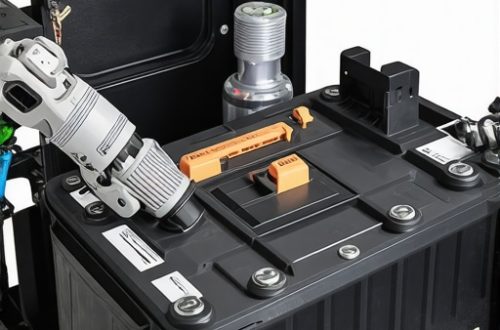
If the car is completely unresponsive—no lights, no handles presenting—the 16V battery is likely the culprit. In the 2026 Model 3, you can access the jump posts behind the circular tow eye cover on the front bumper. This isn’t ‘hacking’; it’s a designed mechanical override. Applying a 12V-15V power source to these leads will trigger the frunk release. Once the frunk is open, you can access the low-voltage battery. I’ve seen too many people try to use a key fob battery replacement guide approach here, thinking a small button cell is the problem. It’s not. You need a jump pack capable of sustaining 10 amps to wake the car’s computer. Once the computer is powered, the access logs for smart locks will show a ‘Power On’ event, and the door handles should respond to your phone or card. This is a forensic bypass that respects the vehicle’s integrity without resorting to destructive entry.
Maintenance: Protecting the Hardware
A lock is a moving part, even on a Tesla. The door handles on a Model 3 use a complex pivot and a return spring that can get gummed up with grit. Don’t use WD-40; it’s a solvent, not a true lubricant. Use a high-quality dry PTFE spray. This ensures that when the software sends the ‘open’ command, the mechanical hardware actually moves. Whether you’re dealing with commercial high-security suites or a auto lockout, the goal is the same: minimize friction. If you’re constantly struggling with your handles, it might be time for a residential lock cylinder replacement logic applied to your car—inspect the latch alignment. If the striker plate is misaligned by even 2mm, the motor has to work twice as hard, leading to premature failure of the electronic actuator. Treat your Tesla like the high-end piece of security hardware it is, and it will keep you on the road.