
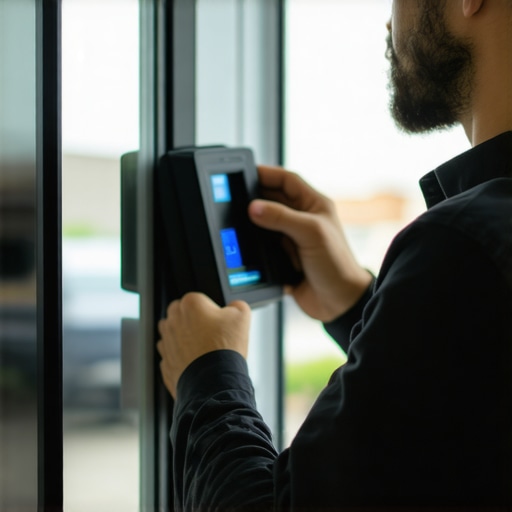
The Illusion of Digital Security and the Reality of Physics
Most folks think a biometric lock is some futuristic gadget that solves all their problems. I have spent 25 years at the bench, filing down pins and tensioning cylinders, and I am here to tell you: a fingerprint scanner is just a fancy switch. If the mechanical bones of the lock are garbage, the electronics do not matter. I once had a lady come into my shop crying because a scammer drilled her high-security lock and charged her six hundred bucks for a piece of zinc junk that a teenager could kick in. She thought because it had a keypad, it was ‘high-tech.’ It was a glorified paperweight. When we talk about biometric entry, we are looking at the intersection of data and deadbolts. If you do not respect the physics of the door, you are just wasting money on commercial keyless entry benefits that never materialize.
“Security is always a trade-off between convenience and protection.” – Industry Axiom
Phase 1: The Mechanical Foundation and Hardware Grading
Before you even look at a software manual, you have to look at the hole in your door. Most budget smart lock starter kits use Grade 3 hardware. In the locksmith world, ‘Grade 3’ is basically another word for ‘pot metal.’ You want ANSI Grade 1. This refers to the cycle count and the strike force. A Grade 1 deadbolt is tested to survive 250,000 cycles and ten 75-foot-pound blows. If you are installing this in a business, you need to consider the commercial master key system advantages for businesses. Even a biometric lock needs a mechanical override. I prefer a high-security cylinder like a Medeco or Assa Abloy. These use biaxial rotation and sidebars that make traditional picking nearly impossible. The sheer line in these cylinders is not just a gap between pins; it is a calculated engineering feat. When you turn a key in a high-security lock, you are not just lifting pins; you are rotating them to specific angles. Without that mechanical backup, a battery failure becomes a lockout that requires a drill.
Phase 2: Sensor Tech and Capacitance vs. Optical
Not all scanners are created equal. You have optical scanners, which essentially take a photograph of your print, and capacitive scanners, which use electrical currents to map the ridges. Optical scanners are prone to spoofing with a high-resolution photo. Capacitive sensors are better but can be finicky in the cold. In our region, when the humidity spikes, those cheap sensors start to fail because the moisture on the skin interferes with the electrical bridge. If you are looking at master key systems for hotels 2026, you will see a shift toward multi-modal authentication—combining the biometric with an RFID chip or a mobile credential. This is especially true for panic bar installation and repair for commercial buildings, where the exit must remain free while the entry remains restricted. The internal solenoid that retracts the latch in a biometric panic bar needs a steady power supply. If you are not hard-wiring these units, you are asking for trouble. Battery-powered units in high-traffic commercial areas will eat AAs every three weeks.
Phase 3: The Installation Checklist
First, check the door prep. Is the door sagging? If the latch does not line up perfectly with the strike plate, the motor in your biometric lock will burn out trying to force the bolt home. I call this ‘motor stall.’ You can hear it—a high-pitched whine followed by a click. That is the sound of your two-hundred-dollar lock dying. Second, look at the strike plate. If you are using the half-inch screws that came in the box, you have no security. I use three-inch hardened steel screws that bite into the wall stud, not just the decorative trim. Third, verify the template storage. Is the fingerprint data stored locally on the lock or in the cloud? Locally is more secure against hackers, but a pain to manage for fifty employees. Cloud-based systems offer commercial keyless entry benefits like remote auditing, but they require a robust network. If your Wi-Fi drops, does the lock remember who you are? Most professional systems have non-volatile memory, meaning the database survives a power loss.
“A lock is only as strong as the frame it is anchored to.” – Security Standards Manual
Phase 4: Advanced Integration and Future Proofing
The industry is moving fast. By the time we hit the EV car key fob replacement costs 2026 peak, we will see biometric integration in everything from your truck to your warehouse. We are already seeing keyless ignition repair services dealing with biometric ‘start’ buttons. For the homeowner, sustainable eco-friendly locks for homes are becoming popular—locks that use kinetic energy or low-draw circuits to minimize battery waste. But for the commercial client, the focus is on smart locks with video integration. This allows for ‘two-factor’ physical security: the lock sees your face and reads your thumb. If you notice signs of tampered locks detection—scratches around the sensor, a loose faceplate, or a sticky keypad—it means someone is testing the tolerances of your system. A real locksmith looks for these microscopic indicators of wear and tear. We do not just ‘swap parts’; we diagnose the failure points of the entry system. When installing panic bar installation and repair for commercial buildings, ensure the vertical rods are aligned to the millimeter. If the top latch does not catch, the bottom bolt is useless against a pry bar.
The Final Verdict on Biometric Deployment
Do not get blinded by the blinking lights. A biometric system is a management tool, not a magic shield. It helps you track who came in and when, which is one of the primary commercial master key system advantages for businesses. It stops the ‘lost key’ headache, but it introduces the ‘dirty sensor’ headache. Keep a bottle of high-purity isopropyl alcohol and a microfiber cloth near the door. Never use WD-40 on the mechanical parts; it attracts dust and turns into a gummy mess that jams the fine springs inside the cylinder. Use a dry PTFE-based lubricant or a tiny bit of graphite if you must, though I prefer the newer synthetic oils. If you follow this checklist—ANSI Grade 1 hardware, 3-inch strike screws, local data storage, and a high-security mechanical override—you will have a system that actually protects your assets instead of just looking cool on a brochure. Security is about the thickness of the steel and the precision of the pins. Everything else is just an interface.