Ever had that sinking feeling when you realize your business keys are missing… again? Or worse, when you find out your locks have been tampered with overnight? I’ve been there. One time, I overlooked upgrading an outdated deadbolt, and it nearly cost me a fortune. That lightbulb moment made me realize: security isn’t just about locking doors; it’s about locking down peace of mind.
Why Business Security Needs a Modern Makeover
In this day and age, threats are evolving faster than ever. Criminals are becoming more sophisticated, using tech tricks that can bypass old-school locks with ease. According to the FBI, commercial burglaries cost businesses billions annually, and weak security measures are often to blame. That’s why investing in top-tier commercial lock systems and deadbolt solutions isn’t just smart — it’s essential. But here’s the kicker: many business owners still rely on outdated locks, thinking a simple deadbolt will do the trick. Spoiler alert: it won’t.
Is Deadbolt Security Really Worth the Hype?
I used to think so, too. I believed a sturdy deadbolt was enough to deter any intruder. Turns out, I made a rookie mistake early on. I installed a cheap deadbolt without considering its grade or the locking mechanism’s resilience. It was only after a break-in attempt that I realized how vulnerable my setup was. That’s when I discovered the importance of choosing the right lock, one that’s designed to withstand physical attacks and lock picking. If you’re skeptical, I get it. But trust me — skimping on security can cost you a lot more than just money. For more on reliable solutions, check out this guide.
So, today, I’ll walk you through the best practices for safeguarding your business with high-quality lock systems and deadbolts in 2024. Whether you’re a small startup or a growing enterprise, these tips will help you build a fortress that even the craftiest intruders can’t breach. Ready to upgrade your security? Let’s dive in!
Choose Locks That Can Withstand Attacks
Start by evaluating the grade of your existing deadbolts. Opt for Grade 1 locks, which are designed to resist physical force and lock-picking attempts. When I upgraded my locks, I replaced a basic deadbolt with a Grade 1 model, which required a different drill bit and some extra effort from my locksmith. This change alone increased my security level significantly. For detailed insights, check out this guide.
Install Locks Correctly and Securely
Use Professional Installation
Don’t underestimate the importance of proper installation. DIY setups can leave vulnerabilities, such as misaligned strike plates or loose screws. I once attempted to install a deadbolt myself, but after consulting a professional, I realized that a proper fit and alignment are crucial for security. Professionals use specialized tools to ensure your lock is secure and functioning optimally. For expert tips, visit this resource.
Reinforce Entry Points
Complement your locks with reinforcement plates or strike box reinforcements. Think of it like adding a steel frame around a door—it makes forced entry much more difficult. I installed reinforcement plates on my storefront door, which took about 15 minutes, but the difference in resistance was night and day. Reinforcements are especially critical if your doors are made of weaker materials. Find step-by-step instructions at this guide.
Implement Keyless and Electronic Options
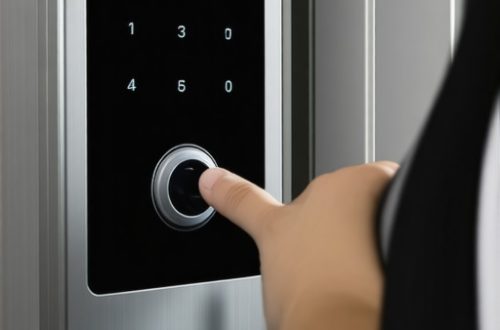
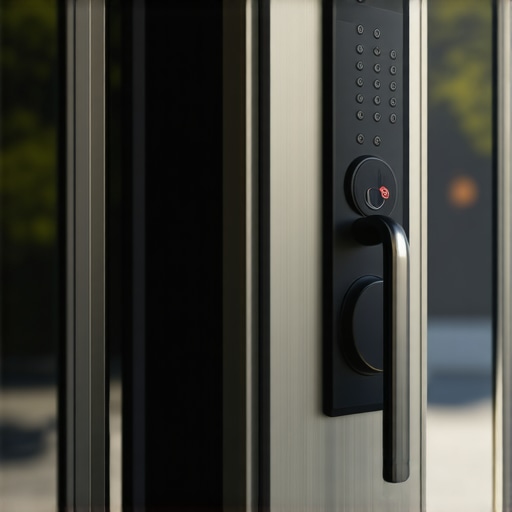
Consider upgrading to electronic or keyless deadbolt systems. These offer advantages like audit trails and remote access control, making it easier to monitor who enters and when. I installed a keypad lock that integrates with my smartphone, allowing me to change codes instantly if I suspect any security breach. It’s like having a digital guard at your door. For more details, see this article.
Plan for Emergency Access and Lockouts
No security system is complete without a plan for lockouts or emergencies. Keep a trusted locksmith’s contact handy and consider installing locks that support easy rekeying or master key setups. I learned this the hard way when I was locked out during a busy morning; I had previously stored a spare key with a trusted neighbor, but now I prefer electronic access for quick entry. For expert solutions, review this guide.
Regular Maintenance and Upgrades
Finally, don’t forget routine checks. Loose screws, worn-out mechanisms, or outdated technology can compromise your security. I schedule bi-annual lock inspections, which have helped me catch issues early. Upgrading outdated locks to modern, high-security models is like giving your business a fresh suit of armor. Learn more about maintaining your systems at this resource.
Many business owners fall prey to common misconceptions about deadbolt security, believing that a sturdy lock alone guarantees safety. Let’s dig deeper into the nuances that often go unnoticed, which can leave your property vulnerable despite seemingly robust locks.
One prevalent myth is that all deadbolts are created equal. In reality, the grade of the lock makes a significant difference. Grade 1 deadbolts are designed for maximum resistance against physical attacks and lockpicking, yet many overlook this crucial detail when shopping for security solutions. Relying on a lower-grade lock can be a costly mistake, especially if you believe your lock is impenetrable—spoiler: it isn’t.
Another misconception is that professional installation isn’t necessary. DIY installations might save money initially but can introduce vulnerabilities, such as misaligned strike plates or loose screws that attackers can exploit. Proper installation by experienced locksmiths ensures your deadbolt functions as intended, reinforcing your defenses. For best results, consider consulting experts who specialize in commercial lock systems.
Many assume that upgrading to electronic or keyless deadbolts automatically solves security issues. While these systems offer benefits like remote access and audit trails, they are not foolproof. Weak passwords or outdated firmware can still be exploited. Advanced systems incorporate multi-factor authentication and encryption, so assessing your specific needs and choosing high-quality models is critical. For guidance, explore this resource.
What about the risk of lockouts during emergencies?
Many overlook the importance of emergency access plans. Relying solely on physical keys can backfire during lockouts or power failures. Incorporating electronic locks with backup options, such as mechanical keys or remote unlock capabilities, ensures quick access without compromising security. Proper planning and a trusted locksmith’s advice can save you from costly delays. Review this guide for strategies to streamline emergency access.
Lastly, routine maintenance is often underestimated. Worn-out mechanisms or unlubricated locks can fail unexpectedly, creating vulnerabilities. Regular inspections and timely upgrades to modern, high-security models make a tangible difference. Scheduling periodic checks helps you stay ahead of potential issues. For more insights, visit this resource.
Understanding these hidden nuances and avoiding common pitfalls will help you build a more resilient security system. Remember, even the strongest lock is only as good as its installation, maintenance, and the strategic planning behind it. Have you ever fallen into this trap? Let me know in the comments!
Maintaining your business security system is an ongoing process that requires the right tools and consistent attention. Over the years, I’ve found that investing in high-quality equipment and adopting a routine maintenance schedule can significantly extend the lifespan of your locks and electronic systems. This not only keeps your premises secure but also saves you money in the long run by avoiding costly emergency repairs or replacements.
Invest in Professional-Grade Equipment
When I started upgrading my locks, I realized that using professional-grade tools made all the difference. For instance, I personally rely on a high-torque drill with variable speed settings for installing and rekeying deadlocks. This allows me to ensure precise alignment and secure fitment, which are critical for maximum security. Additionally, I use a set of specialized locksmith screwdrivers that resist wear and provide better torque, reducing the risk of damaging delicate components.
For electronic systems, I prefer to work with manufacturer-approved software and diagnostic tools. These enable me to run system checks, update firmware, and troubleshoot remotely if needed. Regular updates ensure that your electronic locks remain resilient against emerging cyber threats, a trend that is only going to grow as more devices become interconnected. To facilitate this, I recommend using a dedicated, secure laptop or tablet with encrypted storage for managing your security system’s software.
Establish a Routine Maintenance Schedule
One mistake I see often is neglecting regular inspections. I schedule bi-annual checks for all locks and electronic components. During these inspections, I lubricate mechanical parts with graphite-based lubricants, since oil-based products can attract dust and debris over time. For electronic locks, I verify battery health, check for firmware updates, and test remote access capabilities. This proactive approach helps me catch issues early before they escalate into security breaches or costly repairs.
Another tip is to keep detailed maintenance logs. These logs record when components were last checked, cleaned, or replaced. Having this information on hand streamlines troubleshooting and helps identify patterns that may indicate underlying problems. Over time, this habit has saved me countless hours and prevented potential vulnerabilities.
Future Trends in Business Security Maintenance
Looking ahead, I believe that AI-driven diagnostics will become standard in security systems. These tools will continuously monitor system health, alert you to anomalies, and even predict failures before they occur. Embracing such technology now can give your business a significant advantage, ensuring your security infrastructure remains robust and reliable.
How do I keep my security tools working effectively over time?
My recommendation is to follow manufacturer guidelines meticulously, schedule regular professional inspections, and stay informed about firmware and software updates. A proactive approach not only extends the lifespan of your equipment but also ensures your security measures adapt to evolving threats. For instance, I regularly consult trusted resources like this guide to stay updated on the latest best practices.
So, don’t wait until a lock fails or a breach occurs—try implementing a monthly check-in routine with your trusted locksmith or security expert. It’s a small investment of time that pays dividends in peace of mind.
The Hardest Lesson I Learned About Deadbolt Security
One of my biggest realizations was that not all deadbolts are equal. I once installed a lower-grade lock thinking it was sufficient, only to face a break-in attempt that proved otherwise. This taught me that investing in Grade 1 locks is crucial for real security, especially in a commercial setting. Don’t cut corners on the hardware that protects your business assets.
How Proper Installation Can Save Your Business
I used to think a lock was just a lock—until I learned that professional installation makes all the difference. A misaligned strike plate or loose screw can create vulnerabilities. Working with experienced locksmiths ensures your deadbolt functions at peak security. When in doubt, check out this expert guide for insights on installation best practices.
Why Keyless Entry Systems Are a Game Changer
Upgrading to electronic or keyless deadbolts has transformed my approach to security. These systems offer remote control, audit trails, and quick rekeying, making it easier to monitor who enters your business and when. I personally installed a keypad lock compatible with my smartphone, providing an extra layer of convenience and security. For detailed advice, see this resource.
Routine Checks That Keep My Business Safe
Regular maintenance has been a lifesaver. Scheduling bi-annual inspections, lubricating mechanical parts, and updating firmware on electronic locks helps prevent failures. I keep detailed logs to track maintenance and quickly identify issues. This proactive approach has saved me from unexpected lockouts and security breaches. For more tips, visit this trusted guide.
My Essential Toolkit for Lock Security
Investing in professional-grade tools like high-torque drills and specialized screwdrivers has elevated my lock upgrades. For electronic systems, I use manufacturer-approved software to run diagnostics and update firmware regularly. These tools help me maintain optimal performance and security, ensuring my business is protected from evolving threats.
Building a Fortress: Your Next Step
Security is an ongoing journey, not a one-time setup. Embrace high-quality equipment, routine maintenance, and strategic planning to safeguard your business assets effectively. The future of business security lies in continuous vigilance and smart technology. Are you ready to take your security to the next level?
What’s Your Biggest Security Challenge?
Have you ever struggled with choosing the right lock or planning emergency access? Share your experiences below—I’d love to hear your story and help you find solutions.